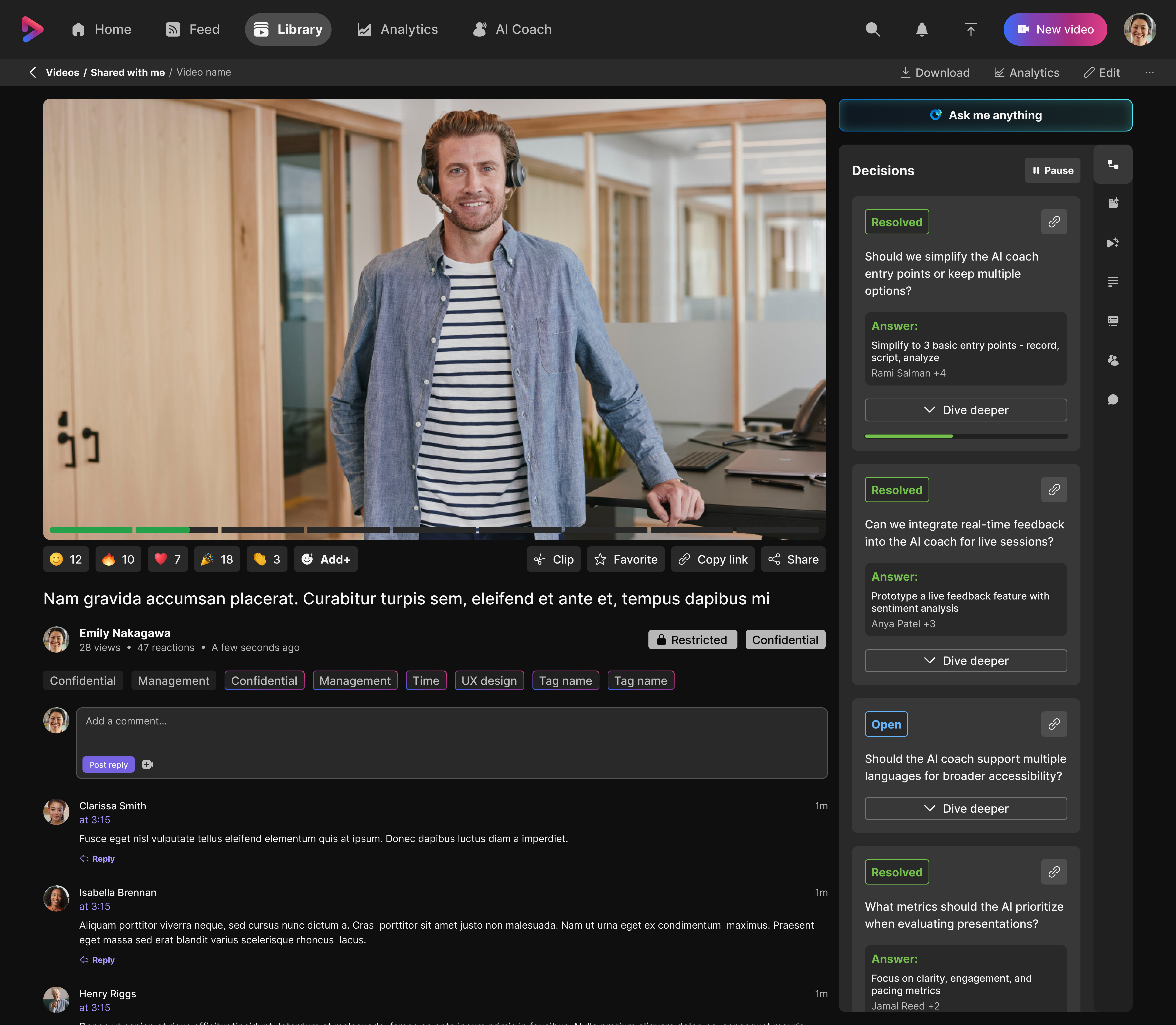
People don't watch recordings — they review decisions
Vidcast became the primary platform for reviewing Webex and Teams meetings. But the existing AI output — a flat list of action items — wasn't answering the real question people came to answer: what did we actually decide, and why?
Action items tell you what to do. They don't tell you the context behind the decision, the arguments that were made, who pushed back and why, or whether the decision was actually resolved. That's the gap I set out to close.
"The AI reframe: action items are children of decisions — not a flat list."
AI informed the concept before any UI existed
I used AI as a thinking partner in the problem phase — to explore and stress-test the concept before designing anything.
Problem analysis
Used AI to analyze how decision trails work cognitively. This informed the IA model before any wireframes.
Pipeline validation
5.5M AI-generated highlight items at 6.1% view rate proved the AI pipeline was reliable at scale. Decision tree was the next layer.
Real data testing
Loaded real meeting transcripts into Figma Make to validate whether the model produced useful, believable output.
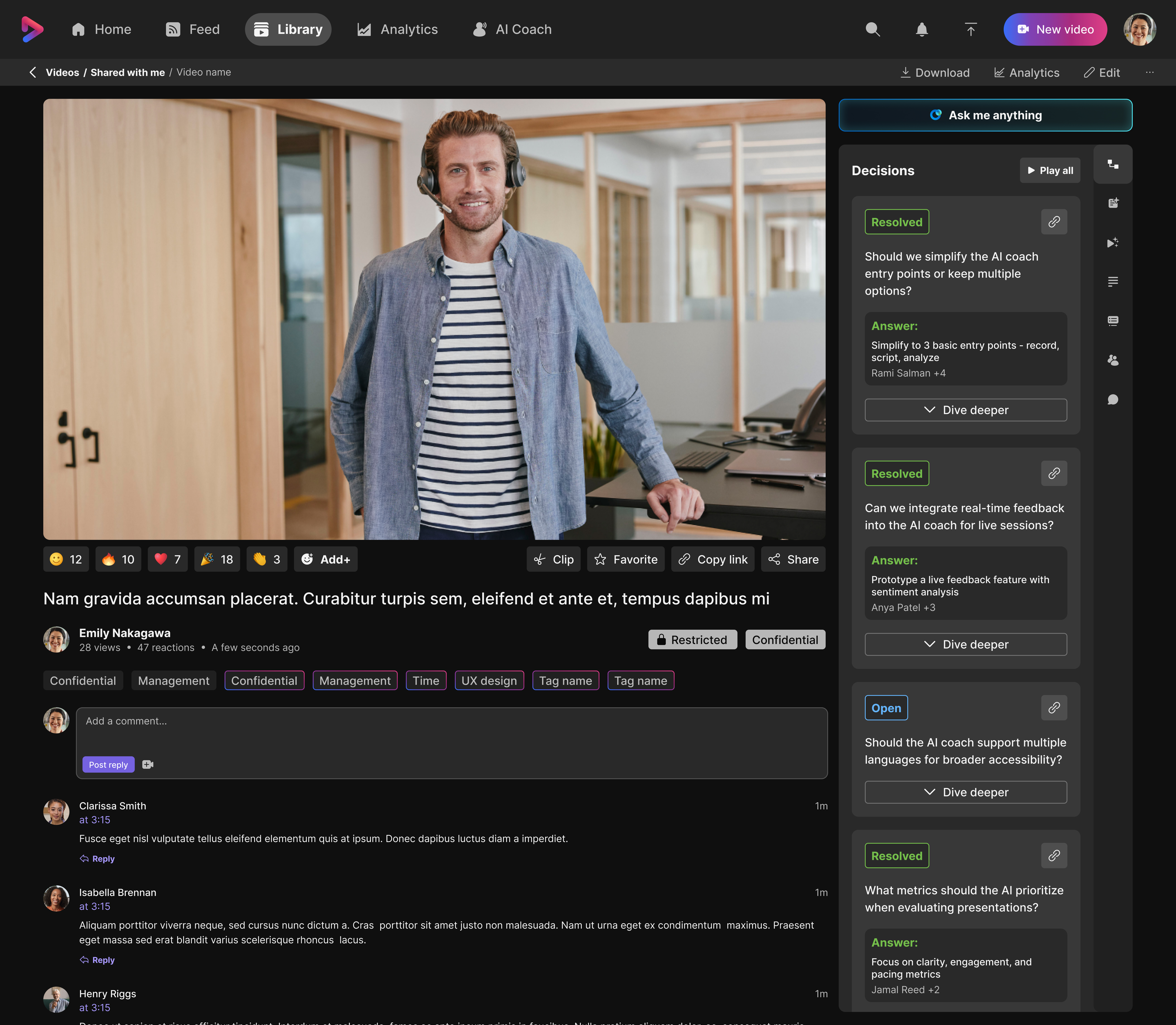
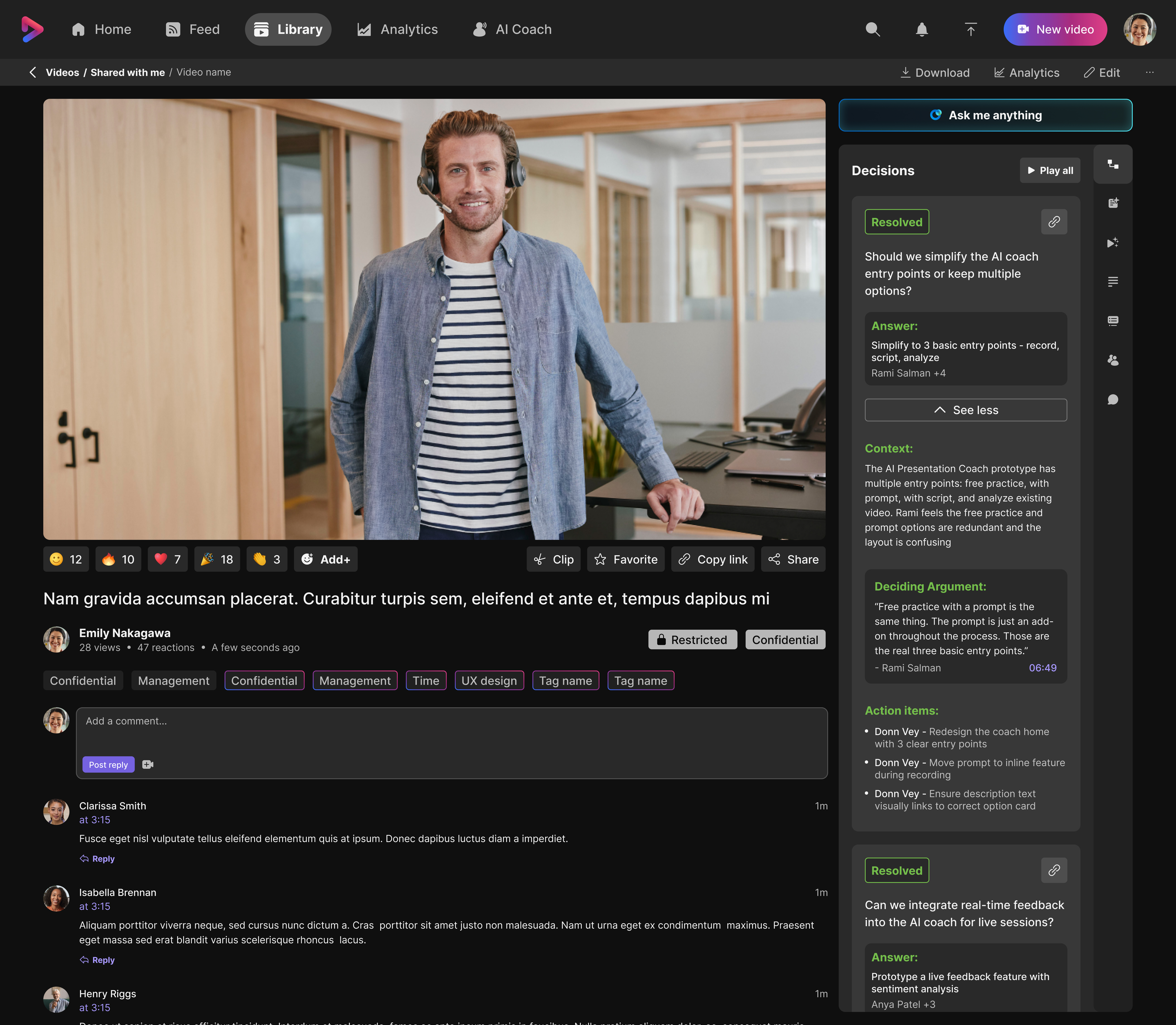
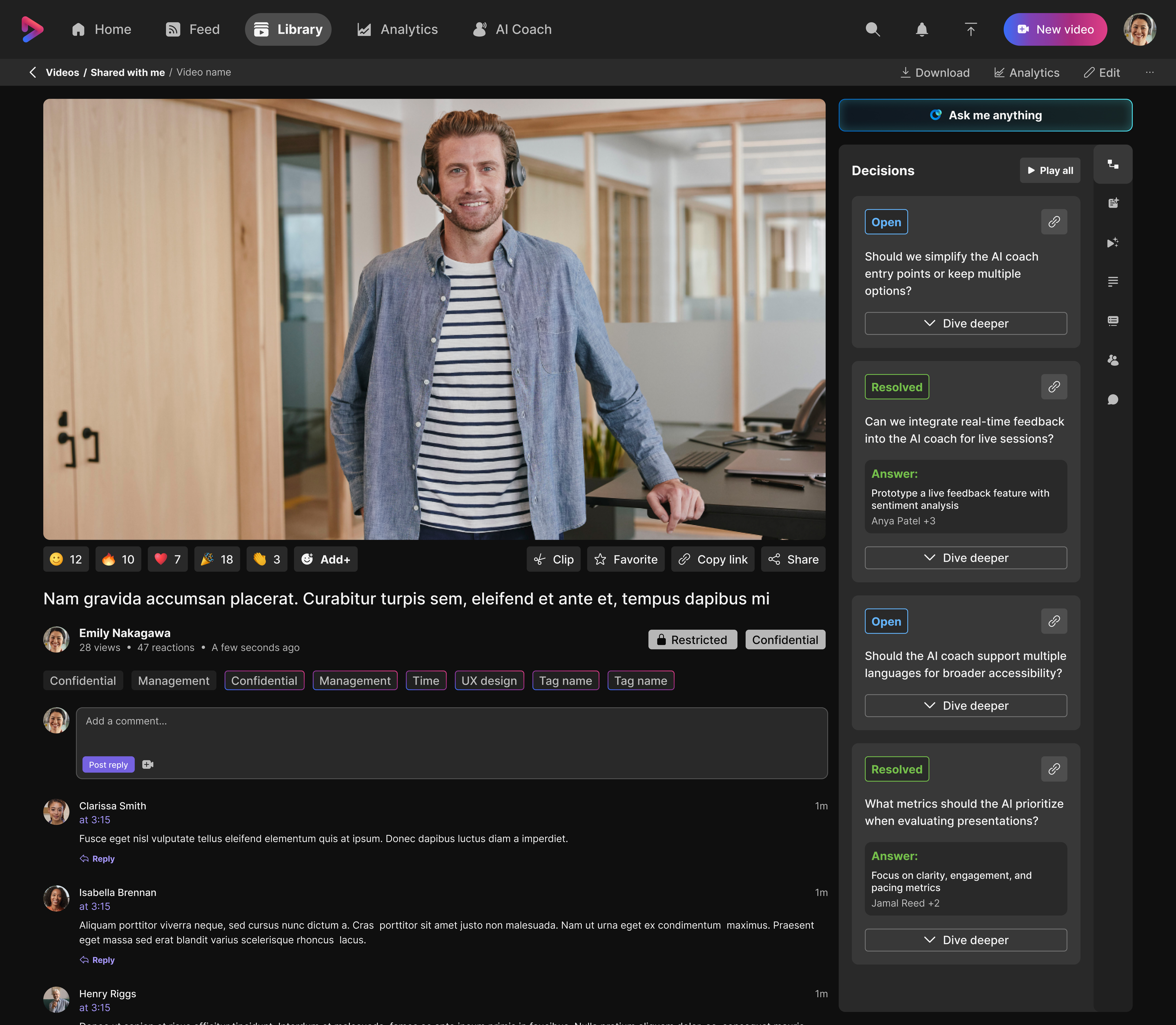
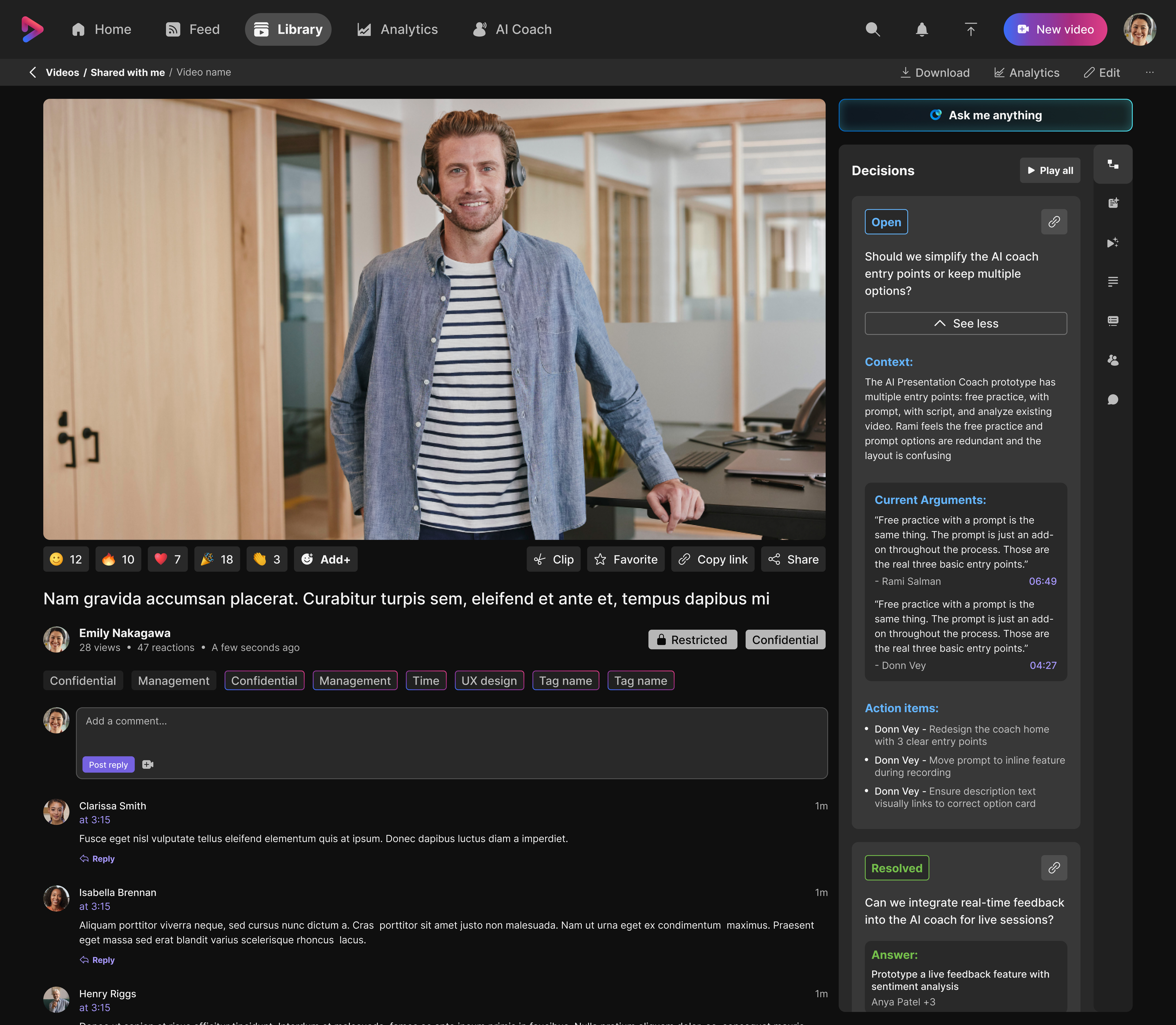
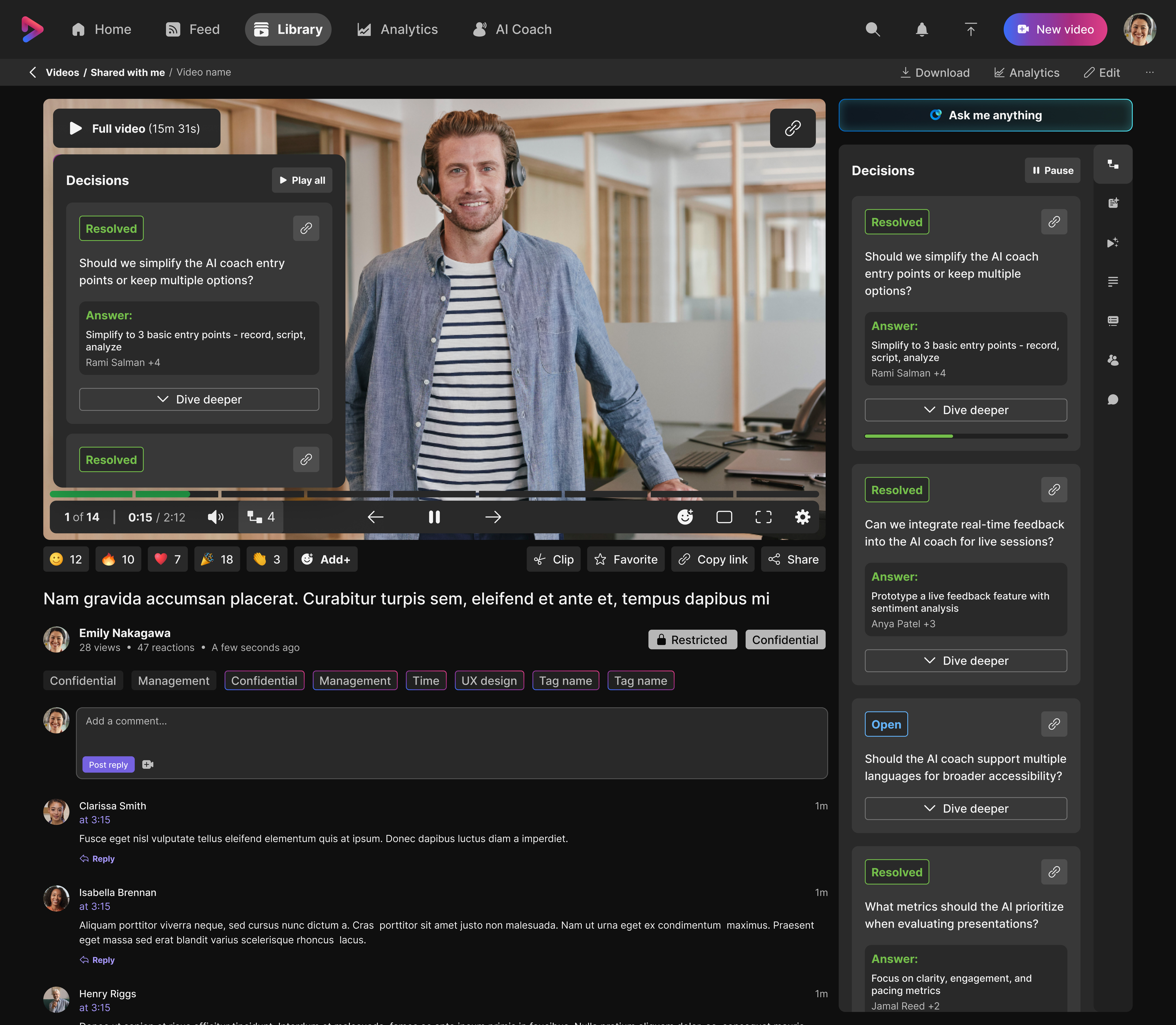
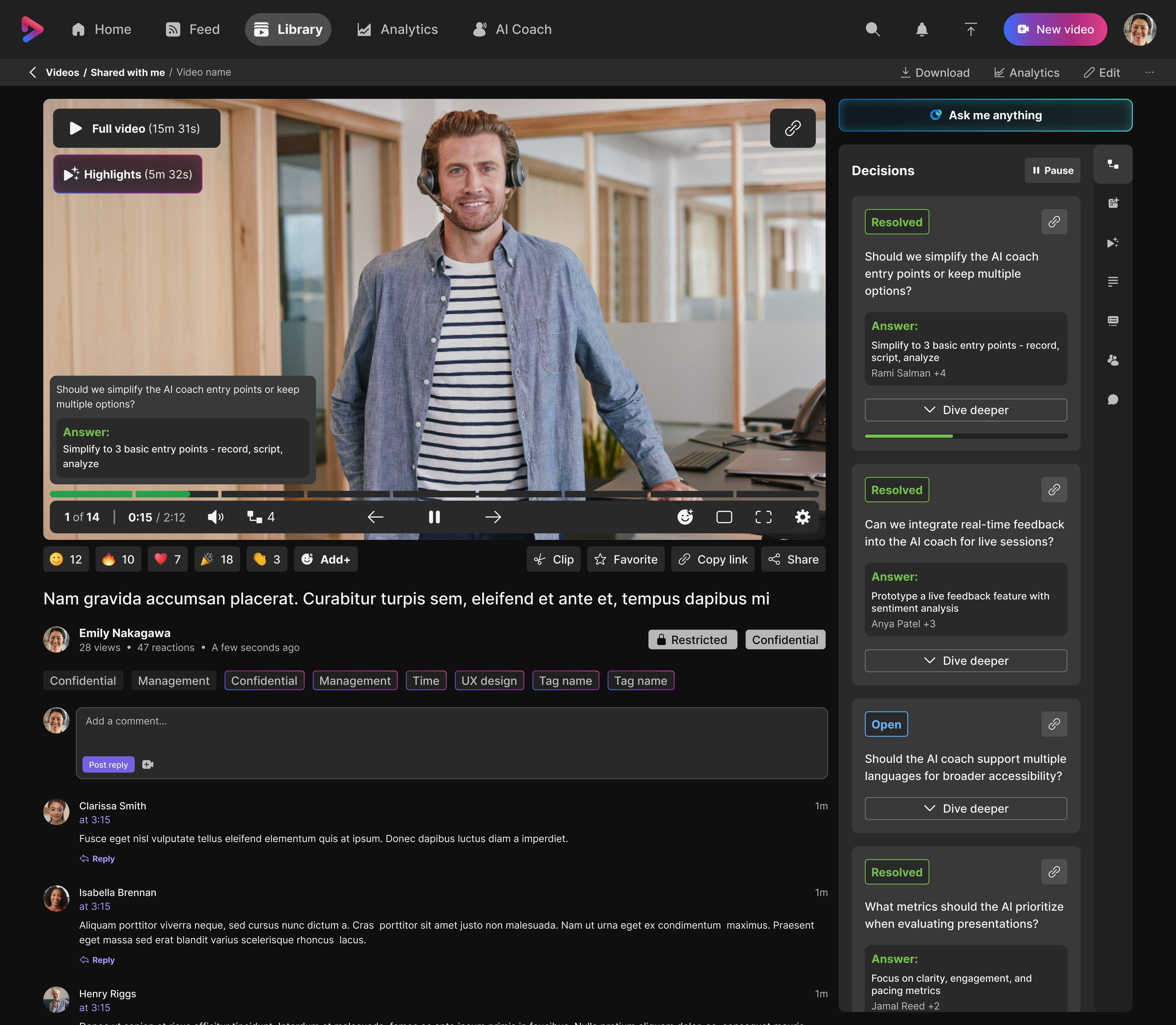
Anatomy of a Decision Card
Each decision in the tree surfaces everything a viewer needs to understand what happened — without watching the full recording.
What a Decision Card contains:
- →Decision state — Open or Resolved
- →The decision question in plain language
- →Context — what made this a real decision
- →The deciding argument — the reason the team landed where they did
- →Who said what — attributed to real participants
- →Action items — as children of the decision, not standalone
- →Non-linear playback — play this decision or all decisions
- →Sentiment — the emotional temperature of the discussion
Green-lit in 10 seconds
I loaded a real Vidcast meeting transcript into a Figma Make prototype and presented it live during a design review. Within 10 seconds, the prototype surfaced a genuine disagreement between two senior leaders that no one in the room had resolved.
The prototype didn't just demonstrate the concept — it proved the value by doing the job in real time. The feature got an immediate green-light to ship.
"How a prototype loaded with real data green-lit a feature in one meeting — by surfacing a real leadership disagreement in 10 seconds."